Wednesday, September 30, 2009

Not just a dressing


We are at the Wellesley Island State Park in New York (map), on the north shore of this large island in the St. Lawrence River, one of the "Thousand Islands." And, yes, there are at least a thousand islands here; the official count is 1,793. There are several campgrounds in the park, including full hookup and electric/water areas, but we opted for a site in the primitive area instead so that we could be right on the water. We can see a dozen or so islands from here and Canada across the river.

Yesterday we drove north on US-11 to Pulaski, where we cut over a few miles to NY-3 to hug the lake shore. Just as we hit 3 we found a propane dealer; we've been out for nearly a week and have not passed a convenient dealer when they were open. We filled our two bottles -- four gallons worth -- for $14 and considered ourselves lucky. Of course, that meant we'd pass no fewer than four more propane dealers later in the afternoon. I can't complain -- it's been probably six months since we had to buy propane.

NY-3 took us around the eastern shore of the lake, but it turns inland just north of Sackets Harbor, towards Watertown. We opted to stay lakeside, and continued north on 180, then northwest on NY-12E to Cape Vincent, which lies at the headwaters of the St. Lawrence. The river, of course, drains Lake Ontario (and thus all the Great Lakes) to the sea, and so the transition from lake to river is a gradual one, made more so by hydroelectric dams and navigation locks built downstream as part of the Saint Lawrence Seaway project at the end of the 1950s.

The town of Cape Vincent has thoughtfully provided a lakeside park, and we stopped for a while to stretch our legs, walk the dog, and marvel at the grandeur of the area. The trees here are also starting to turn, adding to the beauty, yet the tourist season is essentially over -- we had the roads to ourselves.

NY-12 continues along the south shore of the seaway, and brought us all the way to I-81, which is the only bridge onto Wellesley Island. We were only on the Interstate for a single exit (and a $3.75 toll to cross the bridge). We had to come, of course, to stay true to our "outermost road" philosophy, and having a state park with camping right here is a plus. We always enjoy staying right on the water, even if $15 per night is a tad pricey for a primitive site. (Electricity would have been a mere $6 additional, which is definitely worthwhile, but we wanted the better view.) When we pulled in to the primitive area, we were the only ones here, although we saw two other rigs pass us later in the evening. I assume they stayed, but we couldn't see them, or anyone, from our site -- blissful.

Today we will cross back over the I-81 bridge and resume our trek along the south shore of the St. Lawrence on NY-12. The rest of the Thousand Islands will have to wait for our return in a trawler, whenever that may be.

Tuesday, September 29, 2009

Northbound


We are at the Wal-Mart in Central Square, New York (map).

We got a late start yesterday out of Ithaca, since we had to stay put for a "web meeting" conference call that ran until nearly 2pm. We took NY-13 out of town, which brought us all the way to the I-81 corridor and US-11 in Cortland. 11 took us all the way to Syracuse, where we got onto I-81, reasoning that the freeway would be a better choice through the city.

That proved to be a mistake, as some sort of construction had I-81 completely stopped from just a mile or so north of where we got on. We spent a good deal of time inching our way through the city. On no particular schedule, we were only mildly annoyed; as usual in such situations, we remind ourselves that we are surrounded by people who likely put up with this exact scenario every single weekday.

So notwithstanding that we had it in our heads to make it to the lake last night, perhaps to one of the state parks on either side of Selkirk, we were pretty much done by the time we left Syracuse. We passed a Wal-Mart in Cicero, just north of the city, but that one was posted no overnight parking, so we continued across the Oneida River, just at the outlet of Oneida Lake, and another ten miles to this location.

This afternoon, we will try to drive along Lake Ontario all the way to the St. Lawrence Seaway and the Thousand Islands on NY-3. US-11 is our backup plan in the event we encounter any low clearance or low weight limits. With any luck, we will be at the Seaway this evening.

Photo by gixlene, used under a Creative Commons license.

Monday, September 28, 2009

Far Above Cayuga's Waters


We are at the Wal-Mart in Ithaca, New York (map). It was raining when we arrived, and is raining again now.

Before I go any further, seeing as our bus is named Odyssey and this web site is "Our Odyssey," I want to hasten to point out that, just because we have reached Ithaca, our journey is most decidedly not over, and we will continue on from here, heeding, if you will excuse the allusion, the siren call of the road. In the words of Greek poet Constantine P Cavafy,
As you set out for Ithaca, ask that your way be long, full of adventure, full of instruction. The Laistrygonians and the Cyclops, angry Poseidon - do not fear them: such as these you will never find as long as your thought is lofty, as long as a rare emotion touch your spirit and your body. ... Ask that your way be long. At many a Summer dawn to enter with what gratitude, what joy - ports seen for the first time; ... to visit many ... cities, to gather stores of knowledge from the learned. ... But don't in the least hurry the journey. Better it last for years, so that when you [arrive] you are old, rich with all you have gained on the way
That said, it is therefore fitting, perhaps mandatory, that a bus named Odyssey should visit Ithaca, and Cavafy's poem was even a reading at our wedding. Of course, Louise is also a Cornell alumna, and so naturally we were going to make the ~130 mile detour here from our route along the Great Lakes for a visit.

We had a thankfully overpass-free drive yesterday along Lake Shore Drive from Webster all the way to Sodus Point on the northwest edge of Sodus Bay. NY-14 then took us south along the bay, a lovely drive, and nearly all the way to Geneva on Seneca Lake. Just south of the Thruway (I-90), we turned east on NY-96, which turns south at Waterloo and heads right between Seneca and Cayuga lakes, the two largest Finger Lakes. At Ovid we again turned east, until we hit Cayuga's western shore, where NY-89 brought us south past Taughannock Falls and into Ithaca.

We had briefly toyed with the notion of camping at the falls, where there is a state park. But the reason for our visit was to ride around town, with Louise showing me the campus and her old haunts, and seeing what's changed in a quarter century, and the Wal-Mart is certainly more convenient for that, especially considering the crappy weather. Incidentally, when I observed it would be raining for most of our visit, Louise informed me that bad weather is routine, and is known locally as "Ithacating."

Eventually the rain let up enough yesterday afternoon for us to pull the scooters out, and we set out on what ended up being a good two hours of just riding around town and campus. Louise pointed out several of the places she lived during her four years here, and we even visited the Beta Theta Pi fraternity house where she ended up spending a great deal of her free time (our current circle of close friends includes several Betas, including the dads of three girls who call us aunt and uncle). The Cornell chapter was on the brink of extinction last year, and it was good to see they are coming back, and managed to save the house. Photos on the wall also confirmed our friends once had hair -- really bad, 80's hair.


We had dinner at one of only a small handful of establishments still in business two and a half decades later, The Nines Pizza. Deep dish there was as good as she remembered, if twice as expensive, and even to my eye, the place is unchanged in that time. Of course, they're not selling pitchers of beer to underclassmen any longer, but don't get me started on that.

I have to say, I really enjoyed the tour of the Cornell campus. Even never having been there, the place was oddly familiar, between all the stories I've heard, and just the fact that institutions of higher learning everywhere have, despite all their differences, a sort of sameness to them, and I've spent more than 20% of my life among three of them. Incidentally, the title of today's post is indisputably the first line of a song. What the second line is depends on whether you went to Cornell or one of its rivals, Ivy League or otherwise. I went to Stevens Tech and my folks went to NYU, so the next word I learned was "comes" -- there is apparently a version where the next word is "with."

The weather managed to clear up for most of our ride yesterday evening, and is even clearing up again now. I think we've seen most of what we came to see, though, and we will likely move along from here just as soon as Louise finishes the conference call she is on right now. The current plan is to head back up towards Lake Ontario, and continue a process we started five years ago of driving along the outermost routes of the continental US. At this writing, the only sections we've missed are the northernmost edge of New York and New England, and the New England coast.

Sunday, September 27, 2009

A Kodak moment


We are in the campground at Webster Park, operated by Monroe County in the city of Webster, New York (map), just east of Irondequoit Bay and Rochester. We are here for the second annual rally of the Negative Image Scooter Club, being held elsewhere in the park.

We arrived here yesterday afternoon after a mostly uneventful and pleasant drive from Niagara Falls, where we spent a very nice couple of hours being quintessential tourists, strolling the park and viewing the falls from various vantage points. We didn't really have either the time or the inclination to don disposable rain ponchos and take the boat ride up the gorge to the base of the falls, or clear in and out of customs twice to view the falls from the west side; we were just thankful that our visit was far enough off-season that we did not have to muddle our way through the enormous crowds that we assume, from the endless serpentine traffic lanes and pedestrian aisles, must be a regular occurrence in the summer.

Speaking of serpentine, finding our way out of town without running into any more low overpasses proved to be an exercise in zigging and zagging, following the "truck route" signage when we could find it, and diverting around anything that said "low clearance" or "no trucks". That left out the rest of the Robert Moses parkway, which might actually have been easier than the combination of smaller roads we ended up taking. Eventually, we made it onto NY-18, which runs fairly close to the lake.

At some point the GPS directed us onto the Lake Ontario State Parkway, which was a nice divided road surprisingly devoid of traffic, and which even afforded some nice views of the lake. That did not last, however, as eventually a sign indicated commercial traffic was not permitted further, and now we know that, in New York, this is code for "low clearance ahead" (still, we wonder, why they do not actually say that, or post the clearance -- a quick search of the Internet reveals that several other RVers have been surprised to find low bridges after they were already committed).

We had to work our way back to NY-18, which was several miles inland by this point, and even then, 18 is not a truck route all the way to Rochester, so we had to move even further inland to NY-104 a few miles later. One we passed through Rochester -- 104 apparently runs right through the Kodak campus -- and crossed Irondequoit Bay, the GPS took us down Bay Road to Lake Shore, which is the road the park entrance is on. You guessed it -- there is an 11'10" overpass between Bay Road and the park (annoyingly, for a rail line that has not existed for decades), and we had to backtrack and find another way in.

We had a nice welcome dinner last night at the rally site, and today we participated in one of two organized rides. I'd say we had a couple dozen scooters with us, and rode perhaps 80 miles or so around the Rochester area -- a great way to see it, because I lost count of the number of low-weight-limit bridges and low-clearance overpasses we crossed. The organizers even arranged permission to take the scooters onto the pedestrian bridge in front of the High Falls of the Genessee River, a prominent feature of the Rochester landscape, for a photo opportunity.

(The falls are off-camera to the right -- I could not get them along with the scooters on my cell phone cam.)

The group split up for lunch in the Park Avenue district, lined with restaurants and sidewalk cafes of every stripe. I also lost track of everything we saw, but I remember at least two parks, the zoo, and Lock 32 on the Erie Canal.

We were pooped after the long ride, so opted to skip the gymkhana competition and other various and sundry scooter follies, and rejoined the group for dinner around the campfire. There will be a breakfast tomorrow morning, and the rally will be over. We did meet a really great group of folks with a not-so Negative Image (a wordplay involving the city's principle industry of photographic film).

Tomorrow, assuming our camp site does not turn into a mud puddle following tonight's torrential rain, we will leave the park and head southeast to Ithaca, where Louise attended college.

Friday, September 25, 2009

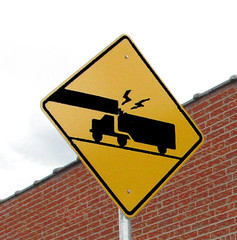
Caution -- Low Clearance Ahead


We are at the Seneca Niagara Casino Hotel in Niagara Falls, New York (map). The casino allows RV parking in an oversize vehicle lot, used mainly by tour buses, at the northeast corner of the property. There are at least five restaurants on the property, all priced commensurate with the tourist-trap nature of the town, and we had a pleasant and casual dinner at the Three Sisters, what amounts to the coffee shop of the complex.

We had quite the exciting day yesterday -- more so than we'd like. The first half of the drive from Erie was actually quite lovely; we opted to take Pennsylvania 5 which runs closer to the lake than US-20, and afforded us the occasional view of the lake. The lakefront was much less developed than we had imagined, and much of the drive was quite rural, although we did have to zig-zag through a couple of towns. PA-5 is a designated truck route, so we were quite comfortable just following the signs.

When we crossed the state line, the road became New York 5, which is not a designated truck route, so we kept a close eye out for low weight limits or overhead clearances, although we certainly shared the road with quite a number of trucks, bypassing the tolls on the NY Thruway, no doubt. In Silver Creek, NY-5 and US-20 came together as one road, which took us over Cataraugus Creek on a single bridge and onto the Seneca reservation, where the Native American tax exemption meant cheap diesel -- we put in 120 gallons at an incredible $2.379 a gallon -- a good 40 cents less than stations off the reservation.

Just north of the creek, US-20 and NY-5 again diverge, and our own sensibilities told us to stay lake-side, and even the GPS agreed this time, as the route is shorter to the falls that way. We did not get far -- almost immediately after making the turn, a sign warned of 12'6" clearance in ¼ mile (we are 13' tall), and I could see the obstruction -- a rail bridge. Fortunately, it was fairly easy at that spot to make a right and head back to US-20.

Thinking that, surely, at least one of the roads connecting the two routes must cross the tracks at grade, or perhaps under a taller bridge, we looked down every cross street for the next few miles in the hopes of reaching our preferred route. Most of the roads had clearances ranging from 12'0" to 12"8" posted right at the intersection, and we just continued on. At some point, we came across a road that was not so marked (I think it was Main Street into Angola), and we made the left.

We made it several hundred feet down that road, and around a curve, before encountering the 12'6" clearance sign, and it is always exciting on these narrow country roads, because it is quite possible to get ourselves to a point where we have no choice but to back up, so the sign necessitated quick action to find a place to turn around. I first spotted a side street going off to the right, and put my signal on, figuring that I could at least three-point it there if I had to.

No sooner had I put my right signal on than I also spotted a business on the left with a large dirt lot, and while a culvert at their entrance gave me some pause (it's hard to tell at first glance whether any given culvert will support us), the prospect of not having to back-and-fill on a busy road made the decision, and I changed from right to left turn indicators.

Just as I started the turn a horn blared, and a red SUV that was trying to overtake us across the double yellow line in the oncoming lane nearly broadsided us. Of course, nearly being in a collision sent my heart rate through the roof, but the nincompoop soccer mom in the SUV then felt the need to pull into the parking lot with me to read me the Riot Act. She kept screaming at me that changing my mind about which way to turn was "illegal." Somehow, the fact that she was the one who crossed a double-yellow to make an illegal pass never crossed her mind; never mind the fact that she was following an oversize vehicle with distant out-of-state plates past a sign clearly indicating it needed to turn around.

I'm really, really glad she did not hit us, because we would have been there for hours filling out paperwork, and collecting damages from this self-righteous idiot would have been a challenge at minimum. After listening to her rant for half a minute or so, I just closed my window and drove off, but it was a good fifteen minutes before my pulse came back down to normal.

At that point we gave up on trying to get to 5 until signage directed us that way just south of Buffalo, where it becomes the Buffalo Skyway and runs right along the lake. That put us onto US-190 across Grand Island and back across the river into Niagara Falls.

Our casino guide said to take exit 21, which corksrews onto the Robert Moses Parkway. This exit is very clearly posted "no commercial vehicles," which always gives us pause, but the directions we were following were very explicitly for RVs, so we took the exit. About 2/3 of the way around the corkscrew was where the 12'0" clearance sign was posted -- yipes! I was able to pull off into the gore point to stop and assess the situation.

There wasn't enough shoulder to safely back all the way around the corkscrew and onto the main highway safely, and there was no place to exit if I backed the other way onto the parkway, either. The I-190 overpass certainly looked pretty low, and we had no choice but to believe the sign -- I couldn't safely get close enough to measure. So we called the police for help, figuring they could at least block the ramp long enough for us to back out.

An officer from the park's police force arrived in fairly short order. He asked our height, and when I told him 13'0", he said we would make the underpass no problem. Apparently, 13'6" semi-trailers do it routinely; he just told us to stay in the left lane where the clearance was a bit higher. He did roll behind us with lights on, and, having been misinformed in the past by well-intentioned police officers, we rolled under at a dead crawl. Sure enough, we had inches to spare, and, with a quick wave to the officer, were back on our way.

We made it the rest of the way to the casino without incident. But why, oh why, could the DOT not have saved me (and I am sure others) the aggravation by posting the height restriction before the exit, when I still could have done something about it? Alternatively, they could at least have been more precise -- 13'6" is a far cry from the posted 12'0".

Today we will explore Nigara Falls by scooter before heading east along the lake towards our rally in Rochester.

Photo by TooFarNorth, used under a Creative Commons license.

Thursday, September 24, 2009

Keystone stopover


We are at the Elks lodge in Erie, Pennsylvania, off US-20 just south of Presque Isle (map).

After our nice lunch yesterday in the poolside grill room at the Shoreby Club, we headed east on Ohio 2, which is a divided freeway that runs some 20 miles east of Cleveland, where it ends at US-20. This latter road brought us all the way here, and this afternoon will take us all the way to Buffalo.

The lodge here has four 20-amp circuits, and being the only rig last night, we used one for our main feed, to run the battery charger, water heater, etc,, and the other to run the air compressor, which otherwise tends to knock the inverter out of sync every time it starts. That let us finally put a full soak on the batteries after a couple weeks of boondocking; without the need for air conditioning, 20 amps is more than enough for us to run the whole coach indefinitely. We also needed water, which involved driving around to the back of the lodge on the lawn.

When we pulled in last night, the parking lot was filling fast -- someone had booked the lodge for a political fundraiser. While we were filling the water tank, I had to run over and set cones out on the grass next to the power outlets -- the paved lot had filled up and cars were starting to fill the lawn. By the time we finally got parked, we were surrounded, and could not have left if we wanted to. This morning, the place is empty and we will have no trouble backing out onto the pavement again.

Today we will head east along the lake on state route 5 until it rejoins US-20, which will take us all the way to Buffalo, where we will have to decide whether to continue east on 20, or head north towards the lake. We need to be in Webster, east of Rochester, by mid-day Friday.

Wednesday, September 23, 2009

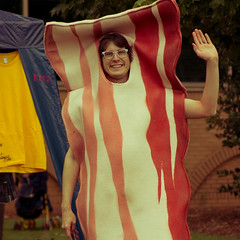
Wal-Mart saves our bacon, again


Photo by Chromewavesdotorg

We are at the Wal-Mart
in Eastlake, Ohio (map), just a couple of blocks from Lake Erie.

We arrived in Willowick yesterday afternoon to visit with friends, who had offered their driveway to quarter Odyssey for a night or two. Unfortunately, we just could not make the geometry work -- the street was only 20' wide, the driveway less than 8' and exactly perpendicular to the street, and, to make matters worse, a telephone pole at the corner of the driveway and the street. I would have had to run over a good swath of lawn to make the turn, and even then, we'd take up the whole driveway, and they'd have to put a car at a neighbor's house -- there is no on-street parking between 2am and 5am anywhere in the city.

Had it been imperative to get in there, I'm sure I could have spent half an hour doing it, involving what we like to call the 27-point turn, and probably some wood blocks to run over the curb and perhaps nosing into the driveway across the street. But hey, this Wal-Mart was only a couple of miles away, so why ruin the lawn? After visiting a little bit and trading tours of our respective dwellings, they followed us over here and then brought us back to their place for a delicious home-made lasagna dinner.

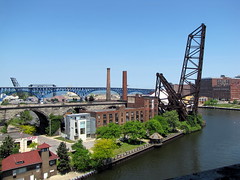
We are in a remote, isolated, and quiet part of the lot here, and notwithstanding our general desire to spend only a single night at any given Wal-Mart, we opted to stay tonight as well, so that we could spend most of today touring around the city in their car. We really enjoyed the waterfront area and the area around the river known locally as "the flats." We even popped into the Rock and Roll Hall of Fame for a few minutes (we declined to actually buy tickets -- museums of this type generally do not call us). One of the exhibits is Johnny Cash's MCI tour bus, parked on the concrete in front of the museum. Sort of a busman's holiday for us, I guess.


Photo by TKCS

We wrapped up our visit with a nice dinner at a local Mexican restaurant that is one of their favorites, where the food was quite good. We really enjoyed visiting with them and seeing the area, and they were very gracious hosts, shuttling us back and forth as well as being tour guides extraordinaire.

Tomorrow morning we will clear out of the Wal-Mart, and very briefly head west back towards Cleveland. We have reservations for lunch at the Shoreby Club in Bratenahl, which we learned today is a very tony neighborhood with many expensive lakefront mansions. I suppose lunch will be our big opportunity to live the high life Cleveland-style, possibly to the annoyance of the wealthy neighbors as we maneuver Odyssey through the neighborhood. The club assured me that they get semis in there all the time, though, when I inquired about being able to park.


Photo by cfour33

After lunch we will head east along the lake, en route to Rochester, NY. Louise discovered there will be a big scooter rally there this weekend, and we're close enough to make it worthwhile. We had almost swung down towards Atlanta last weekend for a different scooter rally, but had decided against it on the basis of time, distance, and weather; later Louise was bummed to discover that the purveyors of a new line of women's cycle gear would be at the Atlanta rally to show off their wares (ahead of some big fashion show in Milan, apparently). So this will be the make-up rally of sorts (albeit sans the Italy-bound cycle fashion crew).

Speaking of Atlanta, we've been on pins and needles all day, with all four of us jumping any time one of our phones buzzed (we are all involved with the Red Cross). While we were having lunch at a local grill, we kept catching glimpses of the massive flooding there on various news channels. Apparently, the chapters down there have things well under control, but the scope of the damage is extensive enough to have warranted a national call-out had it happened in any of a number of other places. It may yet come to that, of course, and so the whole scooter rally thing is really contingent on us not getting a call. We're pretty confident, though, that if we have not been called by now, we won't be.

All photos used under a Creative Commons license.

Monday, September 21, 2009

Heading for the lake

We are at the Elks lodge in Lexington, Ohio (map). The lodge is essentially in a strip mall, and we are in the parking lot. The lodge was also closed when we arrived, and we'll likely be on the road before it opens; apparently, the lodge is now sharing its facility with a restaurant open to the public.

As we get closer to Lake Erie, Ohio is becoming less rural and more suburban; US-42 was still rather narrow with almost no shoulders as we left London, but after Delaware it became luxuriously wide, with comfortable shoulders, full-size lanes, and even wake-up strips on the edges. Today I expect more of the same as we approach Cleveland, but we will move over onto I-71 once we hit the outskirts.

Tonight we will be in Willowick, east of Cleveland, where we will visit with friends. We may also take an extra night to visit Cleveland itself.

Sunday, September 20, 2009

Greetings from London


That would be London, Ohio, where we are at the Wal-Mart (map). We had first attempted to stop at the Wal-Mart in Xenia, about 30 miles southwest of here, but the lot is prominently posted with "no overnight parking" signs, even though our directory of such stores made no mention of it.

We had a visit from Belterra security yesterday morning; apparently, they had a sold out crowd for the Sara Evans concert last night, and thought they would need the whole parking lot, so they stopped by to ask us to move across the street to the truck lot. We told them we would be leaving shortly anyway.

We crossed back into Kentucky over the Marland Dam Bridge, and resumed our eastward trek on US-42. Jill-the-GPS kept trying to put us on the Interstate, and we finally allowed her to when we hit the outskirts of Cincinnati, where our objective was just to get through the city congestion as best we could. We do have a club in that town, and it might have been nice to visit, but there are no really good parking options nearby.

Our plan had been to clear out of the city on I-75, and move back onto US-42 in West Chester. The freeway came to a grinding halt, though, just north of the city, I think due to construction, and so we bailed off early and slogged our way through all the suburban glotch on US-42 anyway. Even if there was a traffic light every half mile, at least we were not sitting at a standstill on a stark freeway.

US-42 splits the difference between I-75 to the west, and I-71 to the east. The former heads north through Dayton, and the latter more northeast through Columbus, and we are right now in between those two cities. Since one Interstate or the other is a faster choice for almost everyone, 42 is fairly lightly traveled, and we had a very pleasant and relaxed drive, notwithstanding the narrow and winding nature of the road. The speed limit is mostly 55, but we seldom could get up over 45 for most of the route.

Last night we had an excellent dinner at Los Mariachis Mexican restaurant a long block west of here. (There is also a Bob Evans, no relation to Sara, right here in the parking lot, and we're thinking of brunch there before we leave.) The place looked like a hole in the wall when we rolled past yesterday afternoon, and we could find no reviews on line, so we took a chance. Wow -- the place was packed. It seemed like all of London was waiting to get in there -- always a good sign. I think we were the only out-of-towners in the joint. Anyway, the food was superb; highly recommended, and they have a full bar as well.

Today we will continue northeast on US-42, which will swing back over towards I-71 in Mansfield.

Photo by OZinOH, used under a Creative Commons license.

Saturday, September 19, 2009

Rollin' on the river


Today is "talk like a pirate day." Arr.

It is fitting, therefore, that there be a boat nearby, which we do not intend to pillage. We are at the Belterra Casino on the Ohio river, near Florence, Indiana (map). We've stayed here before, so I will not rehash the casino details or the history of the riverboat, me hearties, other than to say that there is now non-smoking seating available in the restaurants, and we had a nice, if a tad overpriced, dinner last night at the Aquarium Café.

We had a scenic drive yesterday from Louisville on US-42. We actually tried to leave town on the river road, but it was closed at Harrod's Creek, and we had to detour around on I-71 instead. US-42 follows the Ohio within a mile or two for most of the route, and actually runs right along the river from Carollton to Warsaw. The Markland Dam Bridge brought us here for the night, and we'll head right back across to Kentucky this afternoon, to continue northeast into Ohio. We could actually wend our way along the river here on the Indiana side as well, but we did that route a couple years ago, and US-42 is new ground for us.

Now, if you'll excuse me, I need to swab the decks and adjust my eye patch. Shiver me timbers.

Photo by Joriel "Joz" Jimenez, used under a Creative Commons license.

Friday, September 18, 2009

Moving to an Acer Aspire One netbook

OK, as I promised here earlier, I'd like to share some thoughts about moving to a netbook computer, specifically the Acer Aspire One D250, which I purchased recently at Wal-Mart for $278. Much of what I have to say in this post would be equally pertinent to several other netbook models from any manufacturer, such as some of the Asus eepc models, or the HP mini. The entire rest of this post deals with this subject alone, so if you are not interested, or only looking for my next update about our travels in Odyssey, you can skip the rest.

In a future post, I would like to discuss in more depth what it takes for me to configure an XP machine from scratch and load all of my applications, a process which has consumed a couple dozen hours for this machine. However, in this post I will stick to those aspects of a netbook that are essential to its character, make it different from full-size laptop or desktop computers, and add some challenge to configuring and using one.


About the Aspire One

First off, let me clear up some confusion about the Aspire One. This moniker does not identify a single model, but rather an entire family of sub-notebook PCs. That family spans from models with an 8.9" screen, flash memory (as opposed to a hard disk), and the Linux operating system, all the way to models with an 11.1" screen, large hard disk, and Windows Vista Home pre-installed. Likewise Asus and HP make entire lines of netbook computers with a range of specs and operating systems.

The one I have, shown above alongside the Gateway it's replacing, is the D250 model (often referred to as the AOD250), and even this is not fully descriptive; the D250 comes in a range of configurations, for example with or without built-in Bluetooth networking, with a 3- or 6-cell battery, with 1- or 2-gigabytes (gB) of installed memory, and in several different colors. The configuration varies by retailer; the model Wal-Mart sells is the one with no Bluetooth, one gB of memory, 160 gB hard disk, and a three-cell battery, although there is a choice of colors. (While I would have liked to have the internal Bluetooth and another gig of memory, I was unwilling to pay the substantial price premium to get those features; I already have a Bluetooth dongle, and memory is $20).

What all of these models have in common, though, along with most other netbooks, is what they lack: an optical drive (CD or DVD), a large screen, and lots of processor horsepower. Those are the issues which I will address in this article. On the plus side, most of these netbooks come with Windows XP, which in my book is a big advantage over Vista. This is a conscious and calculated decision by Microsoft, who had already completely withdrawn XP from the retail consumer market; they backpedaled on that decision for netbooks (only) in the face of the decision by several vendors, including Asus and Acer, to release machines pre-loaded with Linux instead of Microsoft products -- amazing what a little competition will do.

The good, the bad, and the ugly

There are lots of good reasons to buy a netbook. To begin with, they're cheap. A large percentage of the manufacturing cost of a laptop today is the screen, and smaller is definitely cheaper. Omitting the optical drive also lowers the cost. So basic netbooks now are under $300, a price that's hard to beat for a brand new computer. Add to that the fact that they are small and light, making them highly portable and easy to store, and the fact that they are still available with Windows XP, and they make a natural choice for many people with light-duty needs. On top of all that, the Acer uses LED backlighting, which I am finding much brighter and easier to read than the older electroluminescent backlight on my Gateway, and it uses less power as well.

The other side of the coin, though, are the limitations. There is no optical drive, which means that installing software that comes on CD- or DVD-ROM will be a challenge. Restoring the operating system in the event of a system failure might also be problematic; even creating the restore media is difficult. Making backups will also require some thought (although CD- or even DVD-R is hardly up to the task of backing up today's hard drives anyway). And if you are the sort of person who likes to watch DVD movies or listen to music CD's on your laptop, a netbook is probably not for you.

Then there is the matter of the screen. The size itself is not the whole issue, although that's part of it: the screen is smaller than a full-size laptop, and that means your photos, videos, and graphics will all display smaller, and even text will be smaller by default. The real problem, though, is just the number of pixels on the screen, something known as "native resolution." Although I have heard tell that Acer will be releasing a 1280 x 720 version of the 10.1" netbook (and I can just imaging how tiny everything will look on that screen), today's models generally have screen resolutions of 1024 x 600. That may sound like a lot, especially considering that just a few years ago, 800 x 600 was something of a standard screen size, but today's applications often expect a minimum of 1024 x 768, leaving the netbooks 168 rows short in the vertical direction.

Lastly, the Intel Atom processors that all of these machines sport are really slow, by today's laptop standards. If you are stepping up from a six or seven year old model with sub-gigahertz speed, the Atom at 1.66 gHz may feel fine to you; I personally moved "down" from a 1.6 gHz Core Duo model, and can attest that there is a very real difference. If you're heading off to college and need to use your laptop to do statistical computing, linear algebra, solve Fourier transforms, do high-end database work, or even just heavy graphics processing such as might be found in some of today's fastest computer games, again, a netbook is probably not for you.

The workarounds

OK, so most readers here know that I am a geek, that I used to run computer networks for a living, and that even today I am immersed in Windows XP culture through my volunteer work with the Red Cross, where we use XP exclusively. I am also addicted to the Internet and like to have enough capability at my command to do anything I need to do, at any time I need to do it. So in order for one of these netbooks to meet my needs, I had to find workarounds for all these limitations. You might find some of these useful yourself if you have a netbook (and maybe even if you don't).

No Optical Drive

This one, frankly, was the easiest to deal with. Of course, the simplest solution is to just buy an external USB optical drive, about $80, and be done with it, but the last thing I wanted was another piece of computer hardware kicking around the house, especially one that I would use maybe once or twice a year. Louise, who has no intention of downsizing to a netbook, still has a CD-RW/DVD-ROM drive in her computer, so we will always have a way to read a CD or DVD if we need to in the future.

The route I chose was, instead, to load all the files from any CD software I needed onto the hard drive, and install from there. For me, that's not much; the vast majority of software I use is free and downloaded from the Internet, so there's no pesky disk to worry about in the first place. (I discussed some of this software in this post, and I will probably update that list when I discuss configuring XP in a future post.)

Now, some things just expect to be loaded from a CD drive. The workaround for this is to use a "virtual CD" program, and a copy of the CD in a type of file known as an "ISO." To create the virtual drive, I use MagicDisc, a free download. Follow the instructions to install this on your machine, and you will magically have a CD Drive D: (on Acers; you may have a different letter), and a control icon in the system tray; right click to "mount" image files on the drive. (Microsoft's unsupported free Virtual CD Driver for Windows XP, which I used to recommend, has proved extremely finicky under Service Pack 3.)

To create the ISO image from your CD, you will, of course, need access to a system with a CD drive. I recommend Alex Feinman's ISO Recorder v2 (for XP, you'll need v3 if you create the images on a Vista machine). If you can beg or borrow a USB optical drive, you can make the images right on your netbook. In fact, if you don't own a USB optical, and just borrow one, I strongly recommend you go this route, rather than actually using the external drive just to install your software. If you ever get asked to "Insert your Installation Disk" you'll be stuck if you installed from a drive you no longer have access to; if you instead use the drive to make an image, then mount the image as a virtual CD, you will always be able to mount it again later if needed.

ISO recorder, once installed, adds a line in the "context menu" of your physical CD drive. Insert the CD you want to image (do not let it "autoplay" -- hold the shift key down when inserting, or just cancel out of any installation dialog that opens), then right-click on the drive icon and select "Create ISO." Once you've made your ISO image, move it on to the hard drive of your netbook; I created a top-level folder called "Disks" for images of installation media.

How to move those ISO files to your netbook raises an interesting question. Here aboard Odyssey, we have a local network and even a file server, and this is certainly one way to do it. ISO files can be quite large, though -- my Street Atlas 2008 DVD is a little over 2 gB, for example -- and you're also going to need a way to back your netbook up, so I recommend you invest in an external USB hard drive. I picked up a Western Digital Passport 250 gB model at Wal-Mart for $60, and, in fact, I would recommend investing in an external hard drive over an external optical drive. You're also going to need a USB flash drive, which I will explain in a moment, and that could be used to move the ISO and other files in a pinch; 4 gB drives are now just $12 or so.

Not all CD's will need to be imaged; lots of software packages will install just fine from a folder. In fact, many installation CDs have a only a few megabytes on them; for these types of disks, I simply copy all the files off into a folder, and make a .ZIP file. You can use an external utility for this -- I like 7-Zip -- or you can use Windows' built-in "compressed folder" option. Remember to unzip into a real folder for installation; then delete the folder, keeping only the .ZIP file in your "Disks" folder until you need it again.

Backup and restore without an optical drive

One of the liabilities of having no optical drive is that there is no way to use the built-in utility to create a "system restore" disk. (Don't get me started on this, BTW -- there is absolutely no excuse, IMO, for Acer to not provide an option in the recovery CD creator to "burn" to an ISO file, which you could then use to make a boot USB stick, or even an option to create a bootable stick directly.) Acer will send you the CD's, for, I think, a charge of around $20, but then you'd still need an external drive to boot.

What I did instead was to "image" my system, after setting it up the way I like it, with a free image backup and restore prorgam, Macrium Reflect Free Edition. This program lets you create a compressed "image" of your entire hard disk to a file, either on a network server, or on your external USB hard drive. Reflect also has an option to create a "boot CD" that would be used to boot the system, in the event of a complete hard drive failure, to restore from the image.

Unlike the built-in Acer recovery, Reflect will allow you to "burn" your recovery boot CD to an ISO image. The boot CD contains a working Linux system that can read the image files you made when you backed the system up. Since it is a bootable Linux image, a free utility, UNetbootin, can "burn" that CD image onto a bootable USB flash drive. Once you have the bootable flash drive, you can set your netbook to boot from a USB port -- on the Acer, this involves pressing F2 immediately after power-on to access the BIOS settings, then moving the USB drive option up above the Hard Disk in the boot sequence.

The limitation I have found with this is that the drivers included by default in the bootable image that Reflect creates do not support the network cards in the Aspire One (I'm sure with enough fiddling in Linux I could fix this on my boot flash drive, "some day"). So even though I can use Reflect to back up my disk image to my network server, I can't use the bootable flash drive to restore from that same location. This is where that external hard disk comes in handy -- the bootable flash drive has no trouble recognizing the external hard drive and finding the disk image there. I'll be doing my normal backups to the network server, but I have a working system image on my external hard disk, so if I have a complete system failure, I can use my USB boot drive to restore to a working Windows configuration.

Macrium Reflect is an image backup tool, which is great for making a full system image to recover from a catastrophe. For more routine daily file-by-file backups, I use SyncBack Free to synchronize to a folder on the server. Another option is Microsoft's free SyncToy. Either of these can be configured to back up, as I do, to a server on your network, or you can again use that handy external hard disk I recommended earlier. The external hard disk has the advantage that you can throw it in your bag or jacket pocket when you leave the house; this way, if your computer should be lost to, for example, a house (or rig) fire, you'll still have all your backup data.

That tiny screen

After getting my netbook more or less set up and configured as I wanted it, I started installing applications and loading my most commonly used web sites. Both the Google Earth application, and the Yahoo Mail web site, complained on first use that my screen resolution was too low... "we recommend a minimum resolution of 1024 x 768," helpfully suggesting I exit the application and come back "after adjusting my display settings." Harumph -- you can't "adjust" the settings on a netbook to meet this standard. (As an aside, I have to say this: given the tremendous popularity of netbook computers, which nearly universally have 1024 x 600 displays, you'd think a popular and theoretically hip and cutting-edge site like Yahoo would, by now, have written code to detect netbook settings and adjust their presentation accordingly. I mean, c'mon, they can detect a mobile device such as a Blackberry and set the display for that.)

Fortunately, both these applications allowed me to continue once I checked the box saying I understood the limitations and wanted to proceed anyway. But they're right -- there's not enough vertical real estate on the screen for some of these apps to look right. So I next tackled how to "make up" for some of that missing screen.

One easy immediate fix is to get rid of the Windows Task Bar, which is down there at the bottom of the screen taking up a couple dozen pixels of height. You could just move it from the bottom to one of the sides, which would give you more vertical room at thee expense of horizontal -- just "grab" an empty spot on the task bar with your mouse, and drag it to one side or the other. But since 1024 is the "minimum width" demanded by many applications, and it's easier to scroll vertically than horizontally, I did not like this solution. Instead, I use the "auto hide" feature: right-click on the Start button, click Properties, choose the Task Bar tab, and check the "Auto-hide the taskbar" box.

Now when you move your mouse off the task bar, it will shrink down to a bright line across the bottom of the screen just a few pixels wide -- voila, all those other pixels are now available for your application window. If the app window is "maximized," it will fill the new screen height down to the minimized task bar. To get to the task bar, bring your mouse all the way to the bottom of the screen where the line is, and the task bar will reappear, and you can use it normally. It takes a little practice to keep the mouse pointer down inside the task bar while using it -- if you stray outside the bar, it will disappear again -- and if you are used to just glancing down at the system tray to see the time, or network status, or whatever, you'll now have to bring the mouse down there to see those things. A minor annoyance, but those extra pixels make a big difference in, for example, your browser.

If you are like me, you spend most of your time on the computer inside an Internet browser. I use (and recommend) Mozilla Firefox 3.5 (and the reasons for this could fill another whole article). If you use Firefox, there are a few more things you can do to make more of the screen available to web sites.

The first and easiest is to change from large to small icons on the navigation bar. This will make the bar narrower, and those extra pixels become available to the web site. Go to the View menu, choose Toolbars/Customize, and in the window that pops up check the box "Use Small Icons." While you're on that page, if you have selected "Icons and Text" in the box next to "Show:", you can make even more screen height available by selecting either "Icons" or "Text" but not both.

I went even one step beyond that. You can make the navigation bar go away altogether, by unchecking it in View/Toolbars (you can also make the Bookmarks toolbar go away, buying even more height, in the same menu). Instead, I installed the Firefox "extension" Hide Navigation Bar 1.3, one of many add-ons available for Firefox from addons.mozilla.org. This does for the Firefox navigation bar what "auto hide" did for the Windows task bar. Once you move your mouse off it, the nav bar will shrink down to a blank bar a few pixels wide between the menu bar and the bookmarks tool bar (if shown, tab bar otherwise). Note: select "Small Icons" first, as described above. If you have Large Icons selected, the "hidden" nav bar will take up more pixels. As with the auto-hide on the task bar, this can be a bit annoying until you get used to it, but with practice, accessing the now hidden nav bar becomes second nature, and, again, the pixels you get back for your web pages make a big difference.

I, personally, really like having the Bookmarks Toolbar available. But all bookmarks can still be accessed through the Bookmarks pull-down on the main menu, and you can get even more real estate back by unchecking the Bookmarks Toolbar in View/Toolbars. When I am viewing a page that can really benefit from the extra height, I use this option, and I am seriously considering rearranging my bookmarks to do without the toolbar altogether. Similarly, the "status bar," which appears across the bottom of the screen, can also be unchecked for even more height -- just remember that information normally displayed there, such as page security settings, and load status, will not be visible.

If you happen to use Mozilla Thunderbird for your email, it, too, has options for smaller icons, icons or text in lieu of both, and the tool and status bars can be omitted. I have not found the need for as much extra height in email as in the browser, but then I do not use the preview pane, preferring a simple list of messages, and to open each as needed in a separate window.

Lastly, the Aspire One and other netbooks will support much larger screen resolutions when connected to an external monitor. I can connect the netboook to my 32" LCD TV with a VGA cable and get 1390 x 720 resolution right away (and it looks great, too), so if I am doing something where I absolutely, positively have to have a larger screen, it's available if I need it. Many modern digital-ready sets have a VGA input; you may be able to take advantage of this simply by buying the proper cable, about $15 at many retailers.

The anemic Atom processor

I saved the worst for last. Many will be content with just the suggestions above. However, if the system seems slow or unresponsive to you, you might wish to go further.

As I said earlier, there is a reason Microsoft is allowing XP to be sold on these machines. They were originally conceived as "thin clients," in the parlance of the industry, intended to be used for connecting to network resources like web sites and email servers, and not to undertake any strenuous tasks on their own. In their first iteration, most were shipped with a bare-bones GUI on top of a stripped-down version of Linux -- very light, very nimble, and adequate for the originally intended tasks. In fact, most did not even have a hard disk; 8 or 16 gB of flash memory was more than adequate to store the tiny operating system, GUI, and handful of network and productivity apps, along with a small amount of settings and user data.

Even Microsoft realized early on that Vista would bring one of these diminutive machines to its knees, if they could even strip it down far enough to fit into a flash drive. Moreover, they did not want to cannibalize their cash cow to meet the price point OEMs needed to offer Windows as an option on these machines, given that Linux cost them essentially nothing. So Microsoft rolled XP Home back out of retirement just for the emerging netbook market. There is, today, no other legitimate way to get a new licensed copy of XP Home (it's not available for retail sale, and OEMs that are allowed to ship full-size computers with XP are limited to XP Professional, through their direct-sales business channel).

Unfortunately, neither Microsoft nor, in most cases, the OEMs selling these netbooks have done any work to make XP suitable for use on a bare-bones, low-power computer. As we used to say in academia, "that is left as an exercise for the student." But the bottom line here, really, is that you can't really expect these little netbooks to do well with a a full bells-and-whistles operating system right out of the box -- that's a lot to ask. What you'll need to do, to get the level of response you're likely accustomed to, is to strip Windows back down to something a bit lighter and more nimble. The price to be paid, of course, is that you will lose some of the bells and whistles.

First things first, though, and that's to ditch all the "junk" that came with the system. Most of this is less than useless, in the sense that a lot of it calls home to mama, which not only robs cycles but also invades your privacy, and a good deal of it installs endlessly running background tasks that steal even more power. As soon as I took my Acer out of the box I went into add/remove programs and removed:

from Windows Components:
  • MSN Explorer
  • Outlook Express (keep if you use this for email; I suggest Thunderbird instead)
  • Windows Media Player (I recommend Media Player Classic, which despite appearance is not a Microsoft product. It runs much faster than Windows Media Player, and does not send a constant stream of information back to Microsoft, which is invasive as well as performance-robbing. Get it as part of the K-Lite Codec Pack.)
  • Windows Messenger
  • Accessories/Games/Internet Games
from Programs:
  • Alice Greenfingers (game)
  • Bookworm Adventures (Game)
  • Acer GameZone Console
  • Cake Mania 2 (game)
  • Chicken Invaders 2 (game)
  • Dream Day First Home (game)
  • eSobi (RSS reader trialware)
  • Fizzball (game)
  • Galapago (game)
  • Gold Miner Vegas (game)
  • Google Desktop (performance-robbing spyware)
  • Google Toolbar for IE (ditto)
  • Jewelleria (game)
  • Luxor - Amun Rising (game)
  • McAfee (Trial; when it expires, they try to get you to upgrade for $60. Save your money; AVG Free is better and uses far fewer system resources. Even the McAfee trial version has tentacles all over your system.)
  • MS Office 07 (Trial; I have a license for Office 2003 which I installed later. Unless you intend to pony up $150 or more for the license when this expires in 60 days, you're better off just removing it without ever launching it. If you need to do office productivity but want to save your money, download Open Office instead; it will open most MS Office document types.)
  • PPT viewer (keep if you want to just view PowerPoint files; I took it out, since PowerPoint is part of my Office 2003 kit)
  • MS Office activation assistant (This is the part that will nag you until you buy the license)
  • MS Works (Dumbed-down office productivity software. Keep it if you have files created with it, or if you just want really minimal word processing. Even then, I suggest dumping it in favor of Open Office.)
  • Supercow (game)
  • Windows Live (Essentials, Sign-In, Sync, Upload)
Note that absolutely every program listed above except MS Works is available on the Internet as a free download, so don't worry that you'll be giving up something you can never get back. Windows Live is being discontinued. After you've removed all this stuff, reboot. Before we move on to optimization, if you have not already done so, now is the time to install all pertinent critical Windows XP updates.

Launch Windows Update from the start menu. I recommend you allow it to install all high-priority updates except Internet Explorer 8 (which is optional; it's a huge download, IE7 already on the machine is perfectly adequate, and I recommend Firefox anyway). getting all the critical updates done will require several restarts; after each restart, launch Windows Update again until no more priority updates are shown. After the high priority updates, I recommend you update Optional Software .net framework and root certificate updates, as well as any hardware driver upgrades.

Now, tomes have been written about optimizing Windows XP for performance, a process most of us call "tweaking." Simply Googling "Tweaking Windows XP" will yield hundreds of sites. I can't go through all the tweaks step-by-step in a short article such as this one. Instead, I will recommend Eric Vaughan's excellent site:
http://tweakhound.com/xp/xptweaks/supertweaks1.htm

This site goes on for a dozen or more pages. Read it thoroughly, and then select only the tweaks that you, personally, are comfortable doing. In any case, I recommend you download at least the TweakUI program from Microsoft, which is extremely easy to use. I would also strongly suggest the AutoRuns program, and the X-Setup program (version 6.6 is the last freeware version), all of which Eric discusses in his guide.

Once you have the programs and have read through the guide, you might be interested in the tweaks I personally applied to my Acer Aspire One, which collectively have made a big difference, presented here in roughly the order Eric covers them:

  • Turned off the XP security center. I use AVG Free antivirus, and Comodo firewall pro (also free), so I am fully protected anyway. I am also normally behind a firewall (but I do take my machine on the road and onto public networks protected by these two apps).
  • Turned off all visual effects except "Use drop shadows for icon labels on the desktop" and "Smooth edges of screen fonts." The theme-related effects would disappear in a later step, anyway.
  • Disabled error reporting
  • Turned off System Restore. Note that I have made my own restore images with Macrium Reflect, as discussed above.
  • Turned off Remote Assistance
  • Set Automatic Updates to Notify Only. I do want the update service to run in the background and tell me when there are updates available, but if you are religious about checking manually, you can turn this off altogether to save some resources. I don't want full automatic updates, though, because I don't always want them -- for example, I don't want the latest version of Internet Explorer (hey, I use Firefox). Also, some of these updates can easily put us over our satellite bandwidth allocation, and I want compete control over when they get downloaded.
  • Turned off Indexing on all drives. Not only does this take valuable CPU cycles and disk space, I don't want Windows keeping tabs on what files I have stored where.
  • Turned off all system sounds. I always run with the speakers turned off anyway, unless I am watching a video (usually with headphones). Louise and I sit right next to each other -- we would drive each other crazy if we left our speakers on. So the system was wasting cycles making sounds I never heard anyway.
  • Turned off desktop wallpaper. Although this is a nice feature which probably does not take many resources, so YMMV.
  • Turned Hibernation ON. I know in Eric's guide it says to turn it off, and that's probably right for desktop systems, or fast laptops. For me, it's worth the extra disk space to have the computer power right up into Windows in just a few seconds; booting from scratch takes far longer on these machines. However, while I normally "hibernate" the computer between sessions rather than "shutting down," I do try to do a complete shutdown or a "restart" at least once every day or two. XP tends to slow down the longer it has been running, and a full shutdown forces tables to get cleaned up, old processes to be killed off, etc..
  • Start Menu: Unlike Eric, I prefer the new menu over the "classic" menu, and I organize my programs in top-level groups to keep the menu clean and short. Bottom line: use the customizations that work best for you. Try them all, there's lots of stuff here most people never even see.
  • Page File: Moving it to another drive is not an option on a netbook. I suggest leaving the default, system-controlled settings.
  • Services: Books have been written on this; I turned off everything I did not need, and that included the Themes service. If you were married to some of those visual effects discussed earlier, you'll need to leave this one on. In addition to Eric's suggestions, this guide discusses all the services under SP3 and which ones are "safe" to turn off. Every service that is running in the background is using resources, and many of them serve no useful purpose on a personal, home machine. Like Madman Muntz, who used to clip components out of his TVs until they stopped working, then solder the last one he snipped out back into the circuit, I turned services off until something I needed broke, then turned the last one back on.
  • Registry edits: I applied the menu speed-up edit, and nothing else. I do edit the registry by hand quite a bit, though, in particular to remove annoying auto-run software. (Another rant here: Please, software makers -- if you think your software should load at system start-up, or at login, at least tell me so when I install, and give me the chance to opt-out. Argh.)
  • X-Setup and TweakUI hacks: I did many of the performance-related ones listed. This is largely a matter of personal preference, and what you can or can't live without. I encourage you to play with the settings here until it feels right to you; the beauty of these tools is that it is easy to go back and change things back again if they don't work for you (unlike, for example, editing the registry by hand). TweakUI is safer than X-Setup, but even X-Setup warns you about potentially problematic changes. I also used TweakUI to turn off globally the annoying auto-play on USB flash drives, and made the visual mods that look good to my sensibilities (such as removing the arrows from shortcuts).
After this section, Eric goes into detail about registry settings, many of which are redundant for things we've already done, and I can't in good conscience recommend this sort of registry editing for anyone who's not already an expert. He also talks about tweaking IE and Firefox and some network optimization, but all of that is really beyond the scope of making up for the low horsepower of a netbook.

After you've customized Windows XP using the guide and, perhaps, my recommendations, go ahead and install any applications you normally use (if not already done). You'll want to have all your software loaded for the next step, which is to launch the AutoRuns application mentioned above. This will let you see and adjust which programs are started automatically in the background when the system starts and/or when you log in. You may be surprised how many of your applications think they need to have a module running at all times.

Generally, I turn off every third party background application except for my anti-virus and firewall programs. That includes Adobe and Microsoft Office quick-launch tasks, and most tray icons except the Synaptics touchpad driver. I also turn off all the junk related to the fancy sound system; if you don't use an external monitor ever (I do), you can also turn off the Intel Graphics background tasks. Again, some of this is personal preference; if you need to hot-switch sound system properties or whatever, leave it on. Just remember that every background task takes up memory and CPU cycles, so the more you turn off, the better off you are.

Lastly, if you have a netbook with anything less than the full supported complement of memory, upgrading to the maximum will probably help. My Aspire One came with 1 gB and I will be replacing the single 1 gB card with a 2 gB card just as soon as I can. The AOD250 takes PC2-5300 DDR2 memory, and has only a single slot accessible through a removable panel on the underside. A 2 gB card is $60 at major retailers such as Wal-Mart, but widely available on-line for half that. I expect I will get $10 or so for my 1 gB card after I upgrade.

What about the tiny keyboard and trackpad?

If the keyboard on these machines feels too small or cramped for you, that probably means a netbook is not the right machine for you. That said, try out a few different models; sometimes seemingly minor differences in layout, key feel, or size can make a huge difference in typing comfort. If you already have a netbook and are just trying to make it work for you, you can always add an external USB keyboard, about $20, but this tends to negate the advantages of the netbook form factor to begin with.

As for the trackpad, I find the one on the AOD250 to be perfectly adequate, and I like the new scroll and zoom gestures. Many aspects of the trackpad are adjustable; right-click on the taskbar icon and select Pointing Device Properties. I have heard that the trackpads on earlier models were problematic; the easiest solution is an external mouse. Several compact models will fit easily in your carry bag; I like the HP travel models which are small and wireless, using a single AA battery for power and a USB dongle that barely protrudes from the netbook case when inserted, so it can just be left in all the time; $25 at Wal-Mart.

Since I have no desk and use a lap tray instead, yet integrated track pads give me repetitive motion injury if I use them too much, I have used a full-size Logitech USB trackball device for years. It's pretty bulky, which feels great in my hand, but it seems huge now next to the Aspire One. I use it at home; when I grab-and-go with the machine, I just use the built-in trackpad. I suspect I will be tempted to grab-and-go more often with this smaller machine, so I may end up buying a travel mouse to go with it.

So there you have it, my take on pressing a netbook into service as my full-time primary computer. As always, the opinions expressed are my own, and I am sure we will see some alternative ones in the comments.

Thursday, September 17, 2009

Slugger


We are at the Jeffersonville Elks Lodge, in Jeffersonville, Indiana (map), immediately across the Ohio from Louisville, Kentucky.

Yesterday we drove up the Dixie Highway, US-31W, from our digs in Elizabethtown. Almost the entire route is lined with big-box stores, fast food venues, barber shops, and, umm, bookstores and drinking establishments catering to the large military community. That would be Fort Knox, and 31W runs pretty much right through it. In fact, a soldier stationed at the fort was seated at our Teppanyaki table Tuesday night.

31W also runs right past the United States Bullion Depository, an impressive edifice surrounded by guard towers, barbed wire, and signs authorizing the use of deadly force. The place is even more impressive in person than in the photos or films, and I'm pretty sure that 31W comes as close as civilians can get. For me, it was impossible to drive by without thinking of the 1964 James Bond movie "Goldfinger," which featured the Depository prominently.

We had plans last night to dine at the Jefferson Club, on the 29th floor of the PNC Bank Tower in downtown Louisville, overlooking the river. We were briefly led astray by a map error that had us believing a Wal-Mart was within a couple of miles; once we got that cleared up, this lodge, across the river, turned out to be the closest place to stay. Not much further, though, there is also a Wal-Mart and a Bass Pro shop in neighboring Clarksville, and that was our backup plan in case the lodge did not work out for any reason.

This turns out to be a great spot; the lodge is quite active, with some 600 members and its own 18-hole golf course, large swimming pool, and restaurant. They offered us a 15-amp power outlet over by the cart shed, but we opted to be a bit further from the golf traffic on the other side of the lot. It's quiet here, but we are lit up like a stage fixture under Klieglights by an enormous HID floodlamp. From the road, though, we are just a silhouette.

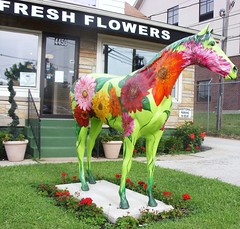
As we rode the scooters into downtown for dinner, we found the revitalized waterfront quite remarkable, and the area just a block or two from the river now sports a modern convention center, performing arts center, and, naturally, the Louisville Slugger baseball venue, a modern ballpark in the currently fashionable retro style. The riverfront itself is mostly given to a vast modern city park, complete with transient docks, playgrounds, bicycle paths, and they are even in the process of converting an old rail bridge across the river into a walking/bike trail. The city does seem overrun, though, by painted fiberglass horses, an homage to nearby Churchill Downs, home of the Kentucky Derby.


We were so taken by it all that we decided to stay another night, again riding the scooters into Louisville this evening for a quick tour of the waterfront area, followed by a nice dinner at Vincenzo's Italian Restaurant downtown. That gave me most of the day today here in the parking lot to continue getting moved over to the new computer, a project which I must say I am now thoroughly tired of. I'm on the home stretch, though, and hope to post my report in the next couple of days.

We have no particular plan for where we go from here, or even when we will leave, but I am starting to think about getting the brakes done. They were down to 30% about 10,000 miles ago, and they're squealing now under light application (it clears up under normal stopping pressure). And, of course, we still have a weather eye out.

Photos by dannebrog and Ratzapuss, used under a Creative Commons license.

Wednesday, September 16, 2009

The verdict is in


We are at the Wal-Mart in Elizabethtown, Kentucky (map). While this store is on the far northern outskirts of the city, it is across the street from the mall, and dining options abound here. We had an excellent Teppanyaki-style dinner last night at Kansai Japanese Steakhouse, just across the parking lot. The food was excellent, and the chef was a good showman; I would say the place rivals Benihana at a fraction of the cost. They also have sushi, but we did not partake so can not comment.

Yesterday we had a lovely drive from Lake Barkley, alternating between narrow and sometimes winding US-62 and the Interstate-like Western Kentucky Parkway. Absent any other concrete plans, we have decided to continue northeast to Louisville, where we have a reciprocal club, and this was a convenient stopping point en route.

Yesterday was also the final day to return my new netbook computer, and I have decided to keep it and give it the test of time. I am still getting used to typing on the smaller keyboard, but my error rate has dropped considerably in the last week. Right now I am still having to type on the larger Gateway, as well, and now I am having more errors on that machine -- we get used to a certain keyboard layout and any change makes for clumsy typing. The Acer, thankfully, has the CTRL key in the right place, and I had become quite accustomed to it being improperly placed on the Gateway, one adaptation I will be happy to "unlearn."

I am still finishing up the last configuration changes on this machine to make it really work for me. What has come out of this lengthy and sometimes frustrating process are several pages of notes on what turns out to be two separate configuration projects. One of those is what I would call the "normal" process of installing personal customizations and software onto a new and fresh Windows XP installation. The other is the process of tweaking Windows and other software to work well on a netbook -- the lower computing horsepower requires a number of tweaks to get decent performance, and the smaller screen resolution requires additional tweaks to make things display nicely. I am now thinking about posting two separate articles here on the blog detailing these, for anyone interested, now that the netbook explosion is making its way into the RV community.

We have a conference call today at 2pm, which we'll take right here at Wal-Mart. I expect to be in Louisville this evening.

Photo by afsart, used under a Creative Commons license.

Sunday, September 13, 2009

Canal zone

We are at the Canal Corps of Engineers campground (map), adjacent to the canal between Lake Barkley and Kentucky Lake, impoundments of the Cumberland and Tennessee rivers respectively. We've stayed here before, and as then we are again in the "group" area, which consists of eight 50-amp sites arranged around a large parking lot, with a picnic pavilion and a dock on lake Barkley.

We're only 30 miles or so from Paducah, where we started the day yesterday, but I wanted to stop someplace for a couple of days to get a few things done, and we knew this was a pleasant stop, and would have power for the two hours or so of 90+ temperatures we've been seeing each afternoon. It's also a short scooter ride here into the town of Grand Rivers, where there are a couple of restaurants and a grocery store, should we need one.

Mostly what I need to get done is to finish moving over to this new computer before the deadline for returning it expires. Wal-Mart gives 15 days, no questions asked, and I wanted to get some real usage time in for all my daily applications before making a decision. Getting to the point where all those applications are working has been a lot of effort, but I am mostly moved over now and things seem to be working fine.

I've been keeping notes on my process, as well as notes on what works well and what doesn't in the "netbook" format. I am leaning towards keeping this computer, and I might write a pair of articles here on the blog on setting up a new XP laptop from scratch, and on configuring one of these netbooks to minimize the frustrations they often present. Of course, I still have plenty of work ahead of me to prep my old Gateway for sale on eBay.

Even for a geek like me, there is only so long in a day that one can stare at a computer screen (although I am typing this outside in beautiful weather, with a view of the lake, which makes things a bit more pleasant). So this afternoon we headed across the canal on the scooters, and rode the Kentucky Lake Scenic Drive, stopped at the Land Between The Lakes welcome center, and did a quick loop through the Hillman's Ferry campground, constructed by the Tennessee Valley Authority but now operated by the Forest Service.

We also rode into Grand Rivers to scope out dinner options, and rode around the Green Turtle Bay Resort. We were hoping the restaurant there might be a dinner option (it's not), but instead ran into a boat show going on at their marina. We spent 45 minutes or so going through boats, and even saw a couple that would make nice starter boats for us at surprisingly low prices. The market has dropped quite a bit in the last year.

In a few minutes, we will head back out to dinner. Tomorrow, we'll decide if we want to pay for another night or two, or move along.

Saturday, September 12, 2009

United We Stand


We are at a Wal-Mart in Paducah, Kentucky (map).

Yesterday we ended up staying in Poplar Bluff through lunch. Even without the Internet, we both had enough to keep us busy all morning, including the grocery shopping we had put off the night before. We got under way right after noon.

It was a pleasant and uneventful drive on US-60 to Sikeston, where we simply waved at Lambert's as we rolled past. Earlier in the day we had both decided we couldn't do justice to those portions at lunch, and besides which, neither rolls (throwed or not) nor molasses are on our diet these days. Driving past also reminded us what a colossal tourist trap the place is.

We stopped briefly in Sikeston to put another 30 gallons of diesel in at $2.459, the cheapest we will see for a long time. I probably had room for another 20 gallons, but the dispenser cut out at $75, and I didn't want to fuss with it any longer. Between the late start and the fuel stop, it was mid-afternoon by the time we crossed the Mississippi.

The US-60/62 bridge ends right at the entrance to Fort Defiance State Park, where we've stayed in the past. I was uncertain the place would even still be open, given the lack of any information on the 'net, and we were pleasantly surprised to find it more or less as we left it. We stopped briefly at the old toll house, which now sports a large new addition complete with deck. The whole place, though, was again deserted, and the new addition to the toll house seems to be a museum under construction, a project that looks to have been started a year ago, then stopped mid-stream. Such is the nature of this park, and the town of Cairo in general, who has been operating it since the state of Illinois essentially abandoned the place.

In any case, all the money poured into the toll house gave us some hope for the campground, and so we rolled down there, again to find it frozen in time. Unfortunately, testing a handful of pedestals (requiring standing on a chair -- they're eight feet off the ground) revealed that the power was off. There was no padlock on the iron ranger, either, so the campground is "closed." We figured we could spend the night if we wanted to, probably for free (posted rates are $10 for tents and $13 for RVs with power and water), but it was 90° mid-afternoon, and our preference for staying there was partly conditioned on power being available. We made a quick loop through the park to see what had changed (nothing), then moved on.

Immediately east of the park is the Ohio River bridge, and in short order we were in Kentucky, where the state motto seemed particularly appropriate for a September 11th arrival. Total time in Illinois: half an hour. Having given up on Fort Defiance, we needed to decide on one of two backup options: the Harrah's Casino just north of here, in Metropolis, Illinois, or the only COE park still open at the Tennessee River crossing another half hour east, another place we've stayed before.

We were still discussing the choice as we were rolling up to the decision point, I-24 immediately east of here, when we passed an Olive Garden immediately adjacent to this Wal-Mart. I was pretty luke-warm on the COE option, since I did not want to drive another half hour and I was concerned we would not get on-line there unless they again let us use the group area, and was just about to make the call for Metropolis. This place was even more convenient, though, and so we just stopped here.

There were quite a few rigs here last night, no doubt due to the proximity to the Interstate. As usual, though, we are the last ones here at 11 this morning. Shortly we will continue east on either US-60 or US-62 to Louisville.

Photo by Joits, used under a Creative Commons license.

Friday, September 11, 2009

The dreaded "FAP"

We are at the Wal-Mart in Poplar Bluff, Missouri (map), along US-160/US-67. We arrived after 5pm, and I was again pretty worn out from the drive -- US-162 west of here is another winding roller coaster of a road, the sort of thing that is perfect on (and makes us yearn for) motorcycles, but a lot of work in the bus. Still, it was beautiful.

We rolled out of Mountain Home sometime after 1pm. I've been working pretty hard on getting moved completely over to the new computer, and this morning's project involved straightening out some problems with email, which I installed last night. Because of the way the email program interacts with the server, I needed to get to a good stopping point before we put the dish down to head out.

We decided to forego the stop at the Mountain Home Wal-Mart, realizing there would be at least two more on today's route. We generally prefer not to spend money in towns that do not allow overnight parking, if we can avoid it. Instead we headed directly out of town on US-62 to Salem, where we picked up Arkansas 9 that took us all the way to the Missouri state line at Mammoth Springs.

Right there at the turn onto US-63 is Mammoth Springs State Park, home to the tenth largest spring in the world, with a continuous output of 9.7 million gallons an hour, at a brisk but constant 58°. We stopped for about an hour, visiting the century-old dam that once powered a nearby mill, and the powerhouse added in 1927 that is now a museum. It was really quite a lovely and interesting stop.

US-63 took us across the state line to Thayer, MO, where Missouri 19 then carried us northeast to Alton and US-162. I expected AR-9 and MO-19 to be narrow, hilly, and winding, but I was surprised that US-162 was not wider, with better grade and alignment. Before Alton we had entertained thoughts of possibly making it all the way to Sikeston tonight, where we had a choice of a Wal-Mart, an Elks lodge, or an empty lot for parking, and of course Lambert's Cafe and the famous Throwed Rolls. But 162 wore me down, and we opted to just stop here. Maybe Lambert's will be in the cards for lunch tomorrow, but only if we are really hungry, based on past experience.

Normally I would be reporting to you here much later this morning (it's 2am right now). However, when we got home from dinner at Maya's Mexican Restaurant about half a mile from here, we found ourselves off line. It turns out we are "FAPped" -- subjected to the dreaded HughesNet "Fair Access Policy" which throttles bandwidth back to below dial-up speeds if you exceed your daily aliquot of allowable usage. We're very good at avoiding this, having tailored our usage habits around the policy, and even installed a bandwidth monitoring tool to keep tabs on how much we're using and what's left before we hit the FAP.

Apparently, as part of installing my email program on this computer last night, some 300+ megebytes got downloaded in an hour. I'm not sure how, since the program is only supposed to download headers and not message bodies unless commanded to do so, and I may never know, but clearly the damage was done between 8 and 9 last night. Setting up another download just as we walked off to dinner tonight was enough to put us over; had I just waited another couple of hours, all would have been fine. And, of course, the bandwidth monitor is one of the items I have not yet ported from the old computer, so we were blindsided.

HughesNet has a "free" window each night from 2am-7am Eastern Time (1-6 here in Central), where usage does not count towards the FAP limit, and, fortunately, full speed is restored even if your account is subject to FAP. So naturally I logged right back on a little after 1 to wrap up what I was working on when the hammer dropped, and to post this quick update. When I get up in the morning, we will once again be effectively shut down until our FAP is lifted at 9pm. By which time, we'll be in another state, possibly Illinois or Kentucky. So it was post now, or wait until the next stop.

Tomorrow morning we'll be raiding the store for groceries, and I spotted a great deal on a USB hard drive as well. We had to run in this evening to pick up some breakfast items, but neither of us was in the mood to run the whole list. With no Internet to keep us occupied, I expect we will make a fairly early start, and should be crossing the river by early afternoon, depending on just how much sorghum molasses gets into our bloodstreams at lunch...